
Git Setup
Cache stores your notes as plain markdown files in a Git repository that you control. Your data lives on your own Git provider—GitHub, GitLab, Bitbucket, Gitea, or any self-hosted solution. Cache never sees or stores your notes.
Requirements
- HTTPS authentication (SSH not currently supported)
- Personal Access Token (recommended) or username + password
- Any Git provider that supports HTTPS
GitHub Quick Start
Self-hosted alternative: Gitea gives you full control over your data and privacy.
New to Git? GitHub is a popular Git hosting platform owned by Microsoft—convenient and beginner-friendly with free private repositories. Here's how to get started:
1. Create a GitHub Account
Visit github.com and sign up for a free account.
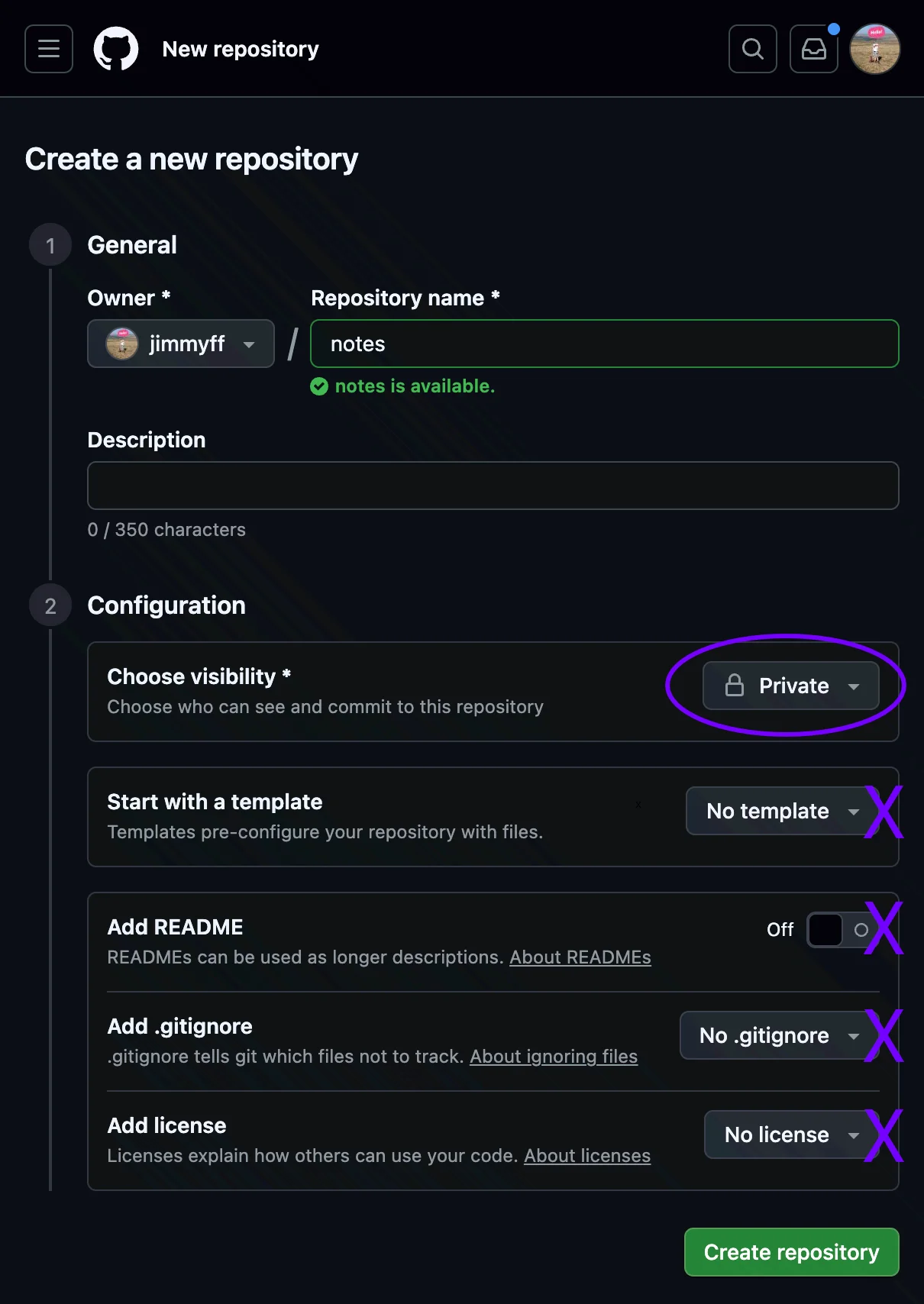
2. Create a Private Repository
This is where Cache stores your notes.
- Go to github.com/new
- Name it something like
notesorcache-notes - Select Private visibility (keeps your notes visible only to you)
- Important: Leave all initialization options off—the repository must be empty (no README, no .gitignore, no license)
- Click Create repository
- Note the HTTPS URL for your repository—Cache will need this. It should look like
https://github.com/username/repository.git
3. Generate a Personal Access Token
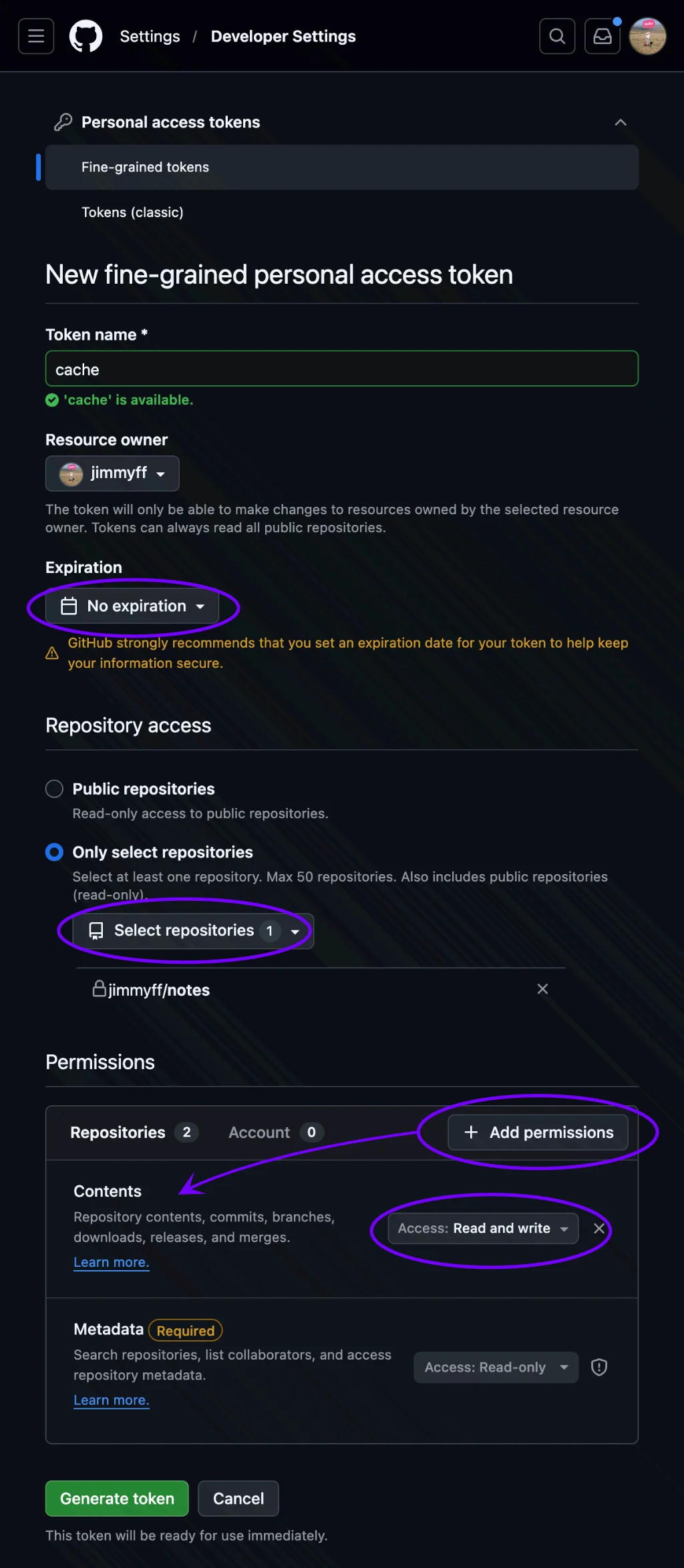
This lets Cache securely sync with your repository.
- Go to GitHub Personal Access Tokens → Generate new token
- Enter a name and set an expiration
- Under Repository access, select Only select repositories and choose your notes repository
- Under Permissions, click Add permissions, set Contents to Read and write
- Click Generate token and save it somewhere secure (e.g., a password manager)—you'll need it again when setting up additional devices
4. Connect in Cache
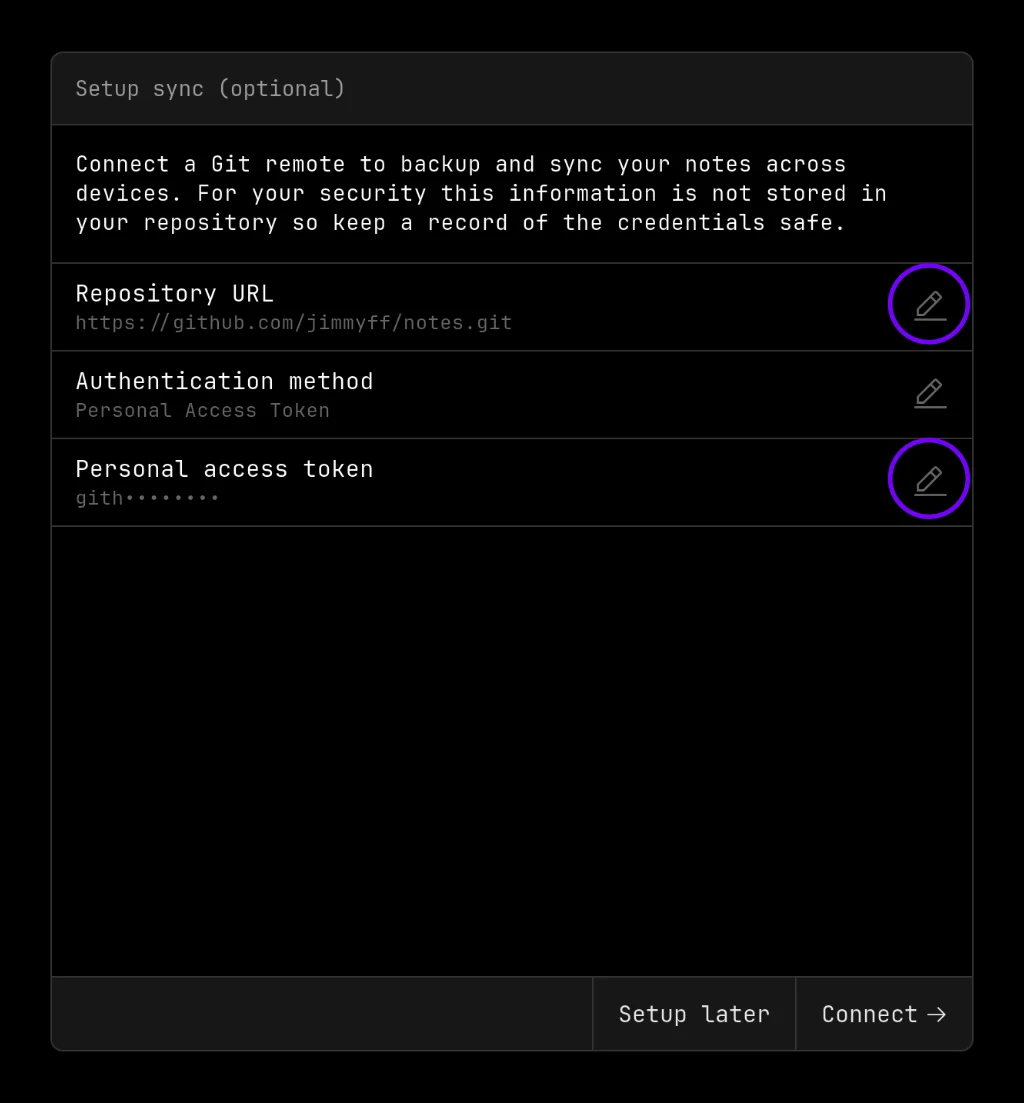
- Open Cache and navigate to Repository Settings
- Enter your repository URL:
https://github.com/USERNAME/REPO.git - Select Personal Access Token authentication
- Enter your GitHub username
- Paste your Personal Access Token as the password
- Cache will initialize your repository
Syncing to Additional Devices
To sync your notes to another device:
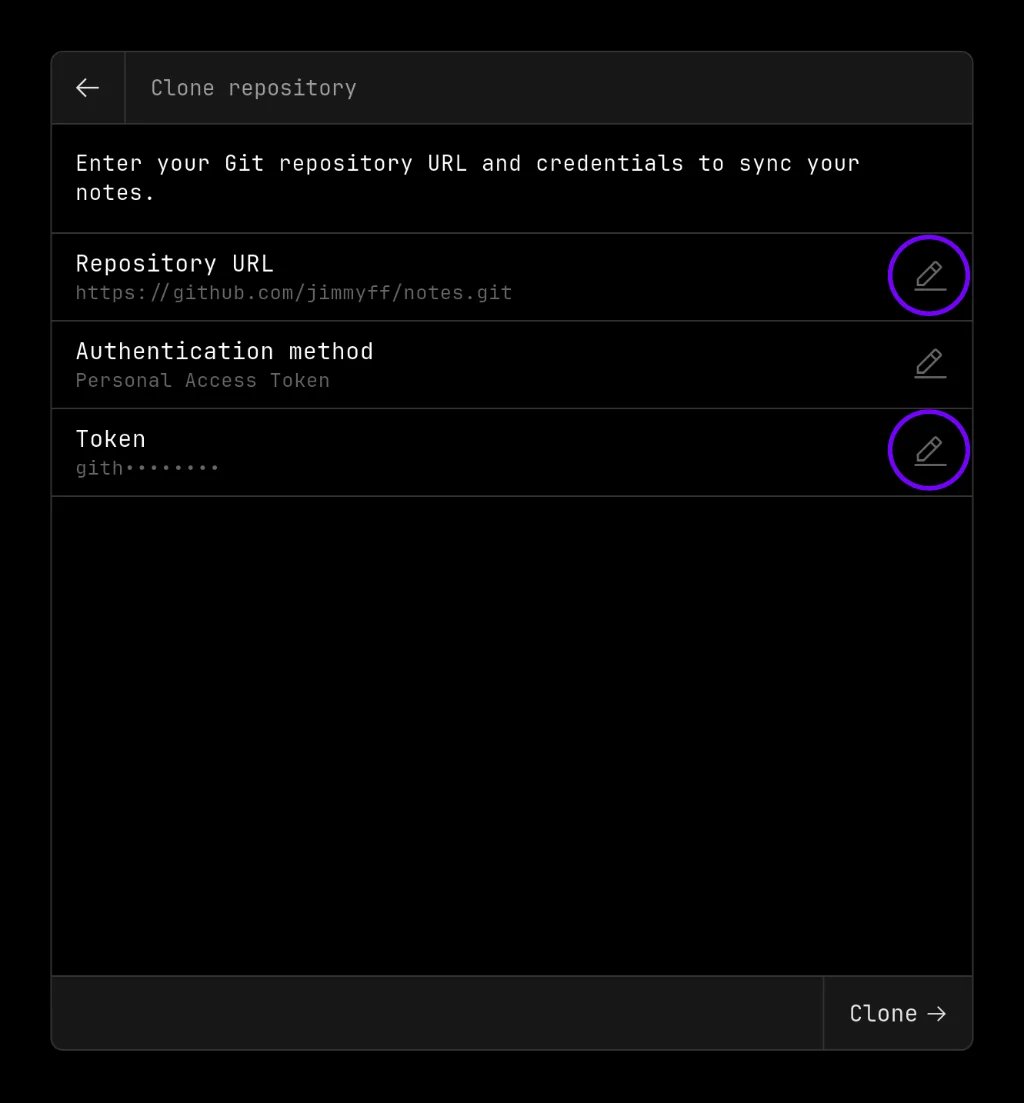
- Open Cache and select Returning User
- Enter your repository URL and token
- Cache will clone and sync your existing notes
All devices stay in sync through Git. Changes sync automatically when the app is open.
Other Git Providers
Cache works with any Git provider that supports HTTPS:
- GitLab: Use a Personal Access Token with
read_repositoryandwrite_repositoryscopes - Bitbucket: Use an App Password with repository read/write permissions
- Gitea: Use an Access Token with repository read/write permissions
- Self-hosted: Any Git server accessible via HTTPS
Limitations
- HTTPS only: SSH authentication is not currently supported
- Empty repositories: New repositories must be empty (no README or .gitignore)
- Token permissions: Ensure your token has repository read/write access
- Network required: Initial clone and sync operations require internet connectivity